Setting up a follow-up sequence
Account ManagerVP of Sales
A follow-up sequence emails a contact from your address, one step at each interval, until they reply or you stop it.
Transcript
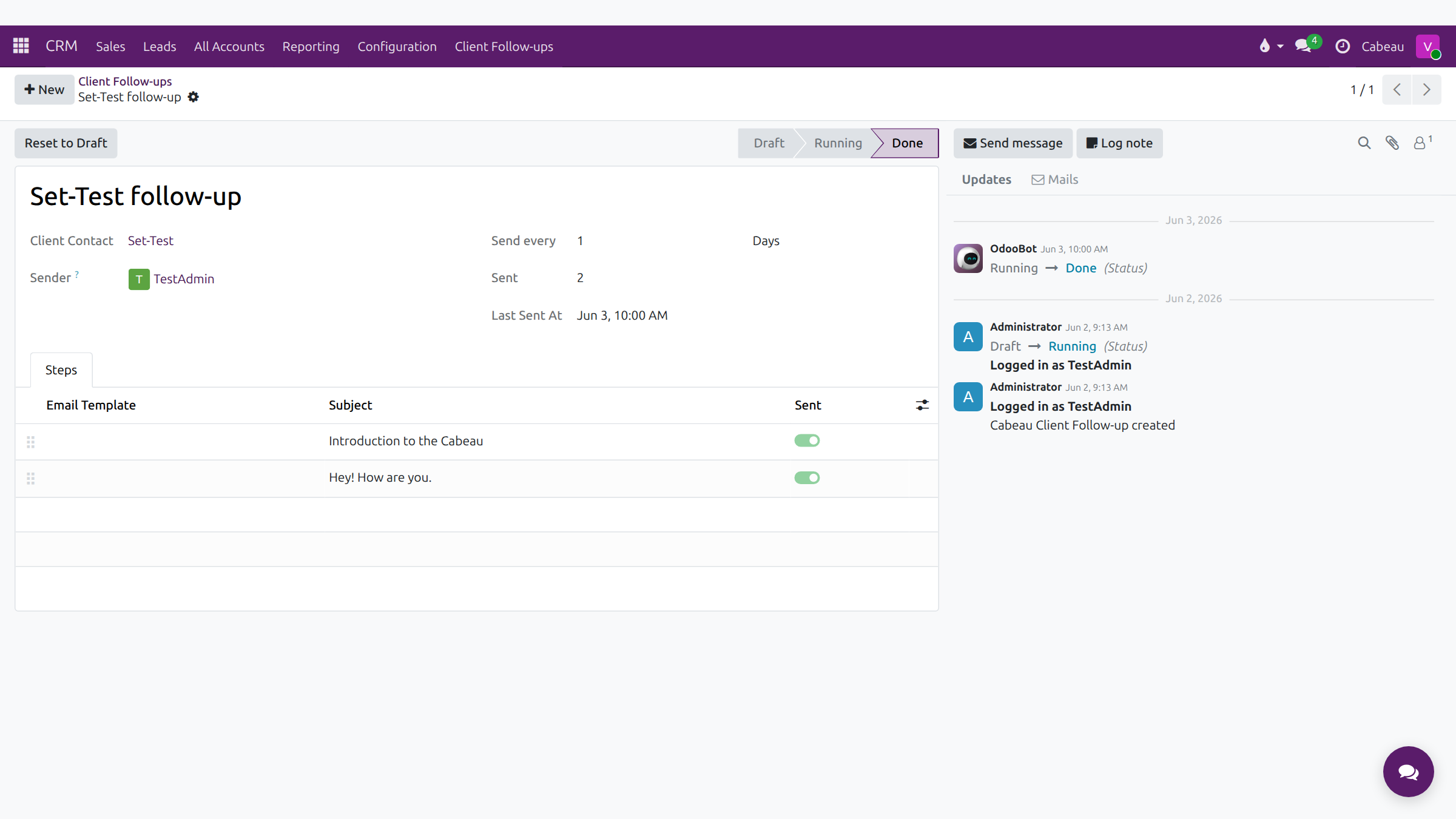
- This video shows how an automatic follow-up sequence works, from setting it up to how it stops.
- CRM, Client Follow-ups lists every sequence. Remove the My follow-ups filter to see the whole team's.
- Each sequence emails one client contact from the sender's own mailbox.
- Send every sets the gap between emails, in days. For two follow-ups three days apart, set it to three.
- Steps holds one email per round, each with its own subject and template. Edit them before you start.
- Start sends the first step on the next scheduled run. Then each step goes out at the interval you set.
- A sequence stops on its own when the contact replies, or when every step has been sent. Stop ends it early.
- This finished sequence shows both steps sent, with the date of the last email.
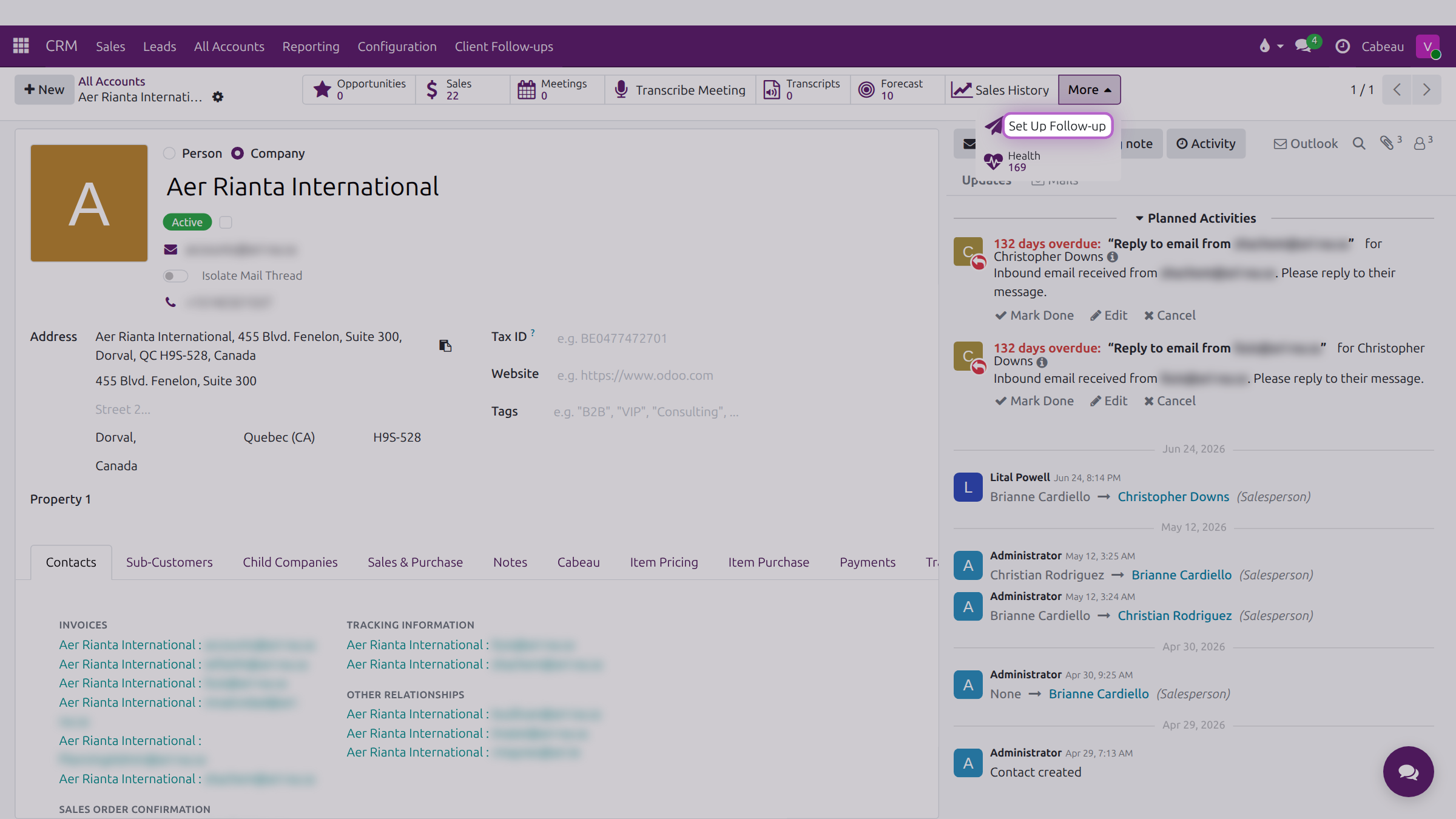
- To start a sequence, open the account, then More, Set Up Follow-up. Account Managers and the VP of Sales set these up.
- That is how a follow-up sequence works.
1. Create it from the account
Section titled “1. Create it from the account”Open the account and select More > Set Up Follow-up. The follow-up is created straight away, in Draft, so only select it when you mean to set one up.
2. Set the timing and the steps
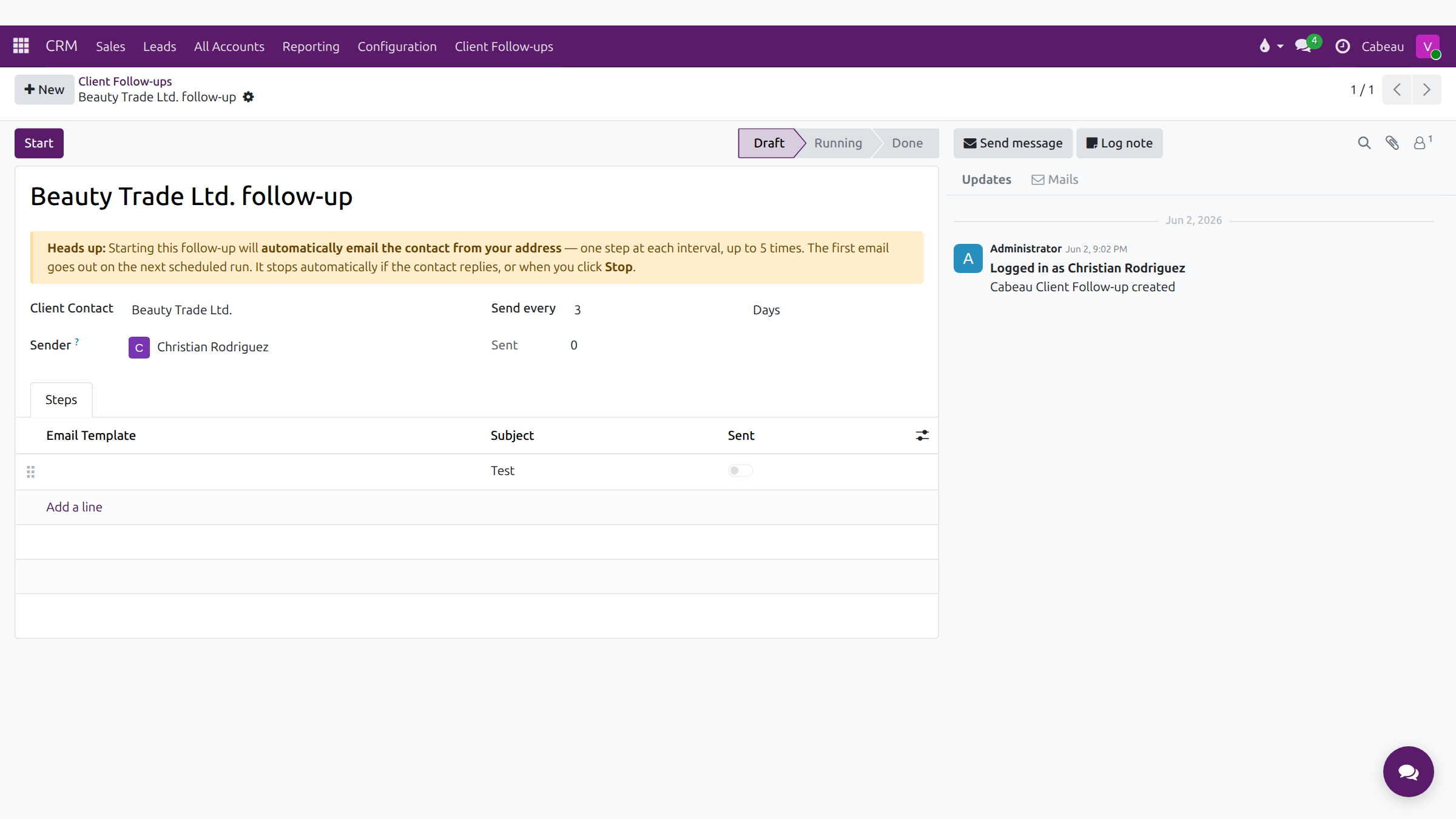
Section titled “2. Set the timing and the steps”| Field | Set it to |
|---|---|
| Client Contact | The person to write to |
| Send every | The interval between steps, for example 3 Days. It applies to every step |
| Steps | One line per email, with its subject and template |
Edit a step’s subject or email template at any time before it is sent.
3. Start and stop
Section titled “3. Start and stop”- Start sends the first step on the next scheduled run, then one step per interval, up to five times.
- The sequence moves to Replied as soon as the contact replies, and sends nothing more.
- Stop ends it at any time.
Track every sequence under CRM > Client Follow-ups. A finished sequence shows Done, with each step marked Sent and the time of the last one.