
VP of Sales
VP of Sales
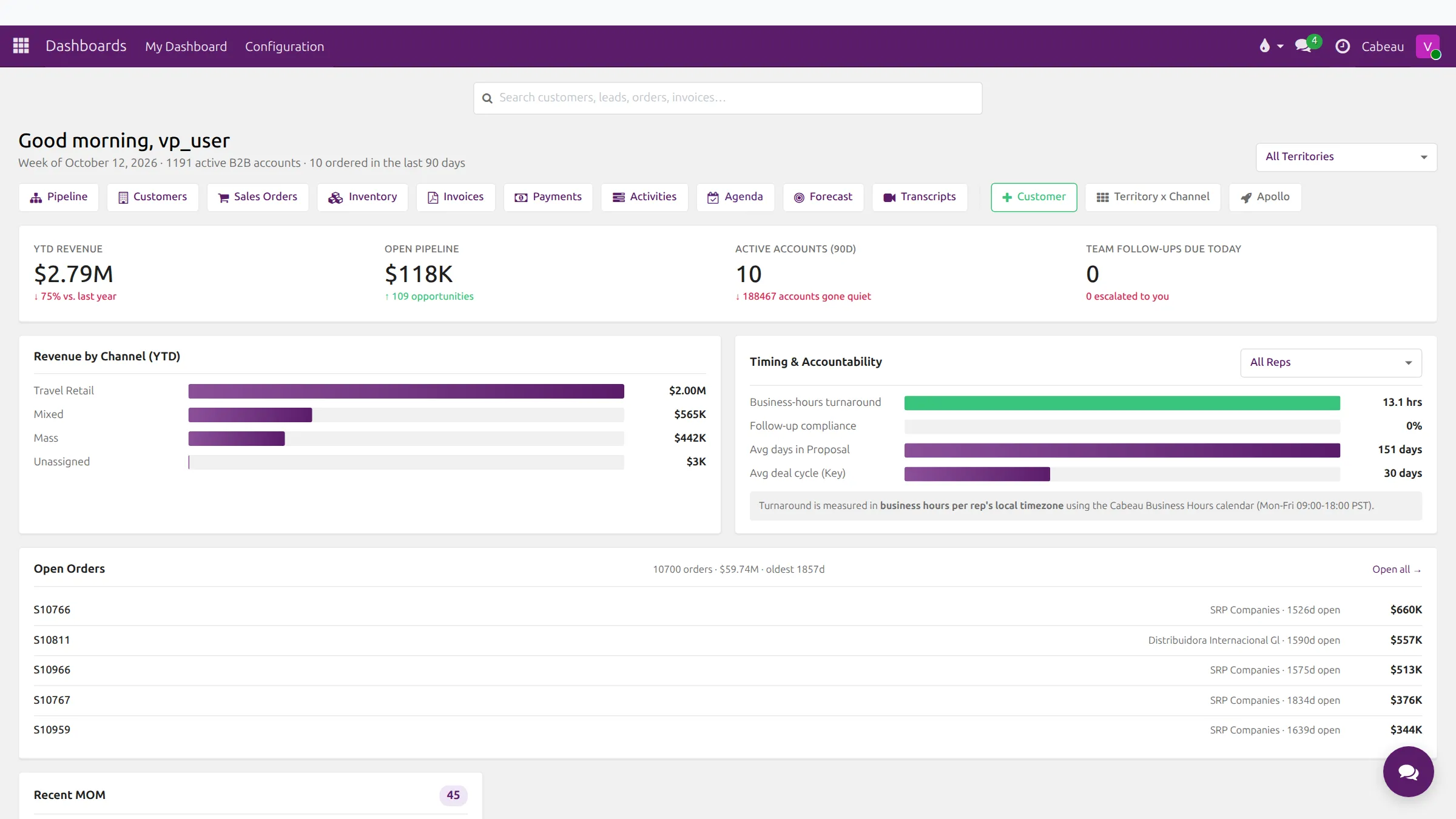
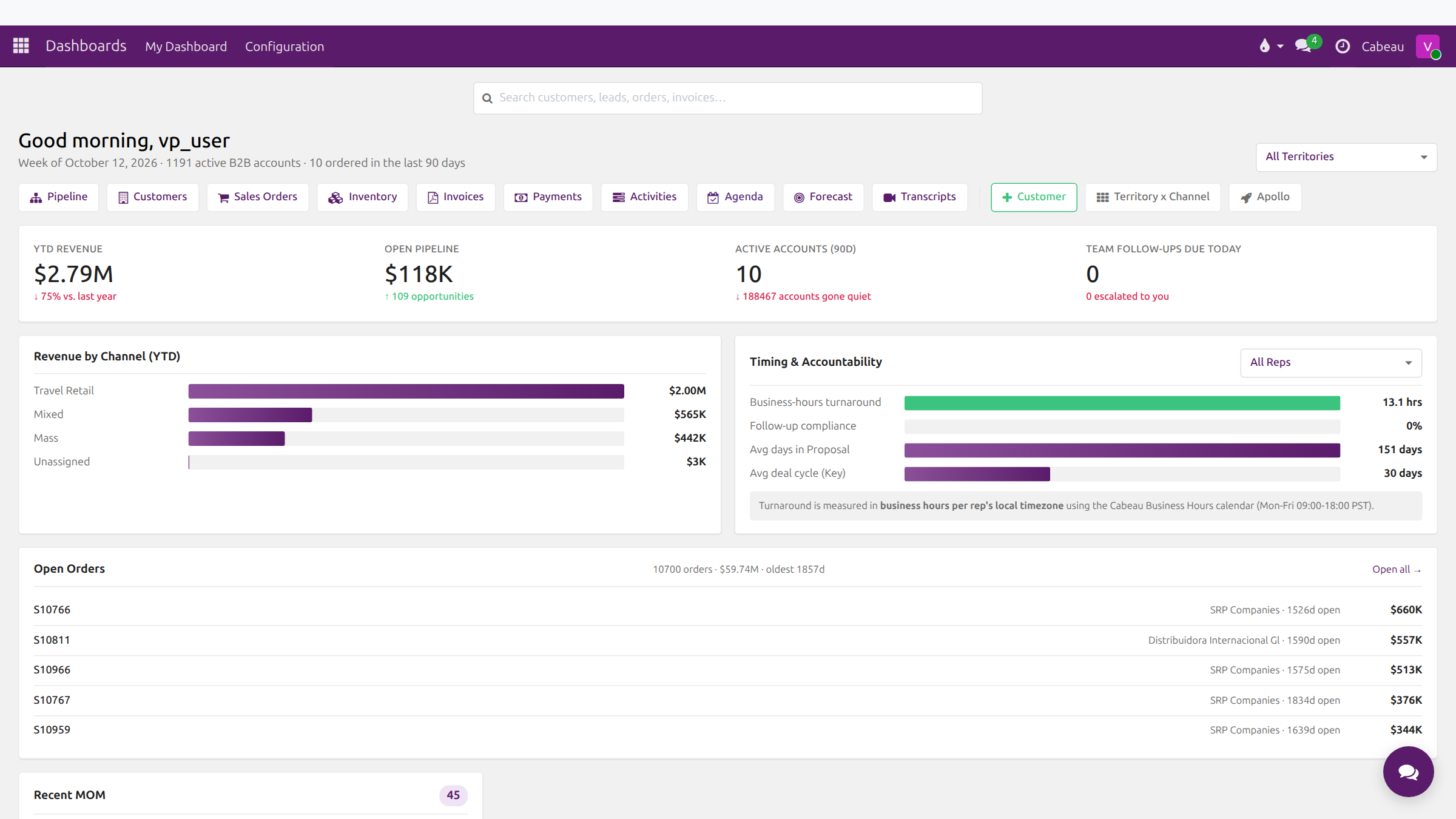
Your dashboard is the first screen after signing in. VP of Sales workflow
As VP of Sales you see the whole team: every account, every rep’s pipeline, the forecast for every territory, and the requests reps raise for your approval. You are also the person who decides who owns what, from territory and channel ownership to the salesperson on a lead.
Your week in the Hub
Section titled “Your week in the Hub”- 1Read the team's position Every morning
- Open your dashboard Revenue against last year, open pipeline, active accounts and team follow-ups due today.
- Check timing and accountability Turnaround in business hours and follow-up compliance, for the team or one rep.
- Is a territory off pace? Filter the dashboard by territory and read the Under Pace list. Yes Open the accounts behind it No Move on to approvals
- 2Clear approvals Daily
- 3Steer the pipeline Weekly
- 4Protect revenue Weekly
- 5Set and review the forecast Monthly and at year start
- Compare forecast with actuals Variance per account and month, filtered by territory, rep or channel.
- Decide who may edit directly Unlock the year or allow trusted users to edit without a request.
- Export for the leadership pack Export the forecast, comparison or budget to Excel.
Repeat every month
What only the VP can do
Section titled “What only the VP can do”- See All Accounts across every rep, and the All Reps view on the dashboard.
- Open Territory x Channel and change who owns each territory and channel.
- Unlock a forecast year and choose which users may edit it directly.
- Approve or reject forecast, price and relationship change requests.
- Assign a lead to any rep.
- Configure Reply Escalation and the reorder Thresholds.
Workflows for you
Section titled “Workflows for you”Step-by-step guides that follow one task across the Hub:
- The VP’s daily view of the team
- Finding new accounts with lead gen
- How new leads arrive, and how duplicates are caught
- Where your new leads show up each morning
- Setting up a follow-up sequence
- Reminders, escalation and response times
- Reorder alerts
- Order cadence and unusual orders
- How forecasting works in the Hub
- Meeting notes: from the note-taker to tasks
- Your task list, and what the VP sees
- Checking inventory by warehouse
Feature guides
Section titled “Feature guides”| Guide | Covers |
|---|---|
| Dashboard | Headline numbers, channels, accountability, open orders, meetings |
| Territories and channels | Territory x Channel ownership |
| Accounts | All Accounts, filters, the account record and its tabs |
| Pipeline and leads | Pipeline stages, lead records, assigning, generating leads |
| Forecast | Forecast sheet, forecast against actuals, annual budget |
| Approvals | Forecast, price and relationship change requests |
| Reorder monitor | Order cadence and thresholds |
| Orders and inventory | Sales orders from NetSuite and stock by warehouse |
| Activities and follow-ups | Activities, calendar, client follow-ups, reply escalation |