
Ask the AI assistant
The Cabeau Assistant knows the Hub’s data. Ask it to look up a customer, an opportunity, an order or an invoice, summarise what is happening on an account, or draft an email.
Transcript
- This video covers the Cabeau Assistant, the A I helper available on every screen of the Hub.
- The round button at the bottom right opens the assistant. It slides in over the page you are on.
- Ask it to look up a customer, an opportunity, an order or an invoice, or to draft an email.
- If you ask it to create or update a record, it shows you the change and asks you to confirm before saving.
- The suggestion cards start a common question with one click. Or type your own question in the message box.
- Press Enter or the send arrow, and the answer appears in the conversation.
- The menu at the top right opens full screen, starts a new chat, and lists your chat history.
- Pick an earlier chat to read it again. Answers are formatted with headings and lists, and can be copied.
- Press Escape to close the assistant. Your conversations stay in the history.
- That is the assistant. Next, your calendar and agenda.
Open the assistant
Section titled “Open the assistant”Select the round button at the bottom right of any screen. The assistant opens in a panel on the right.
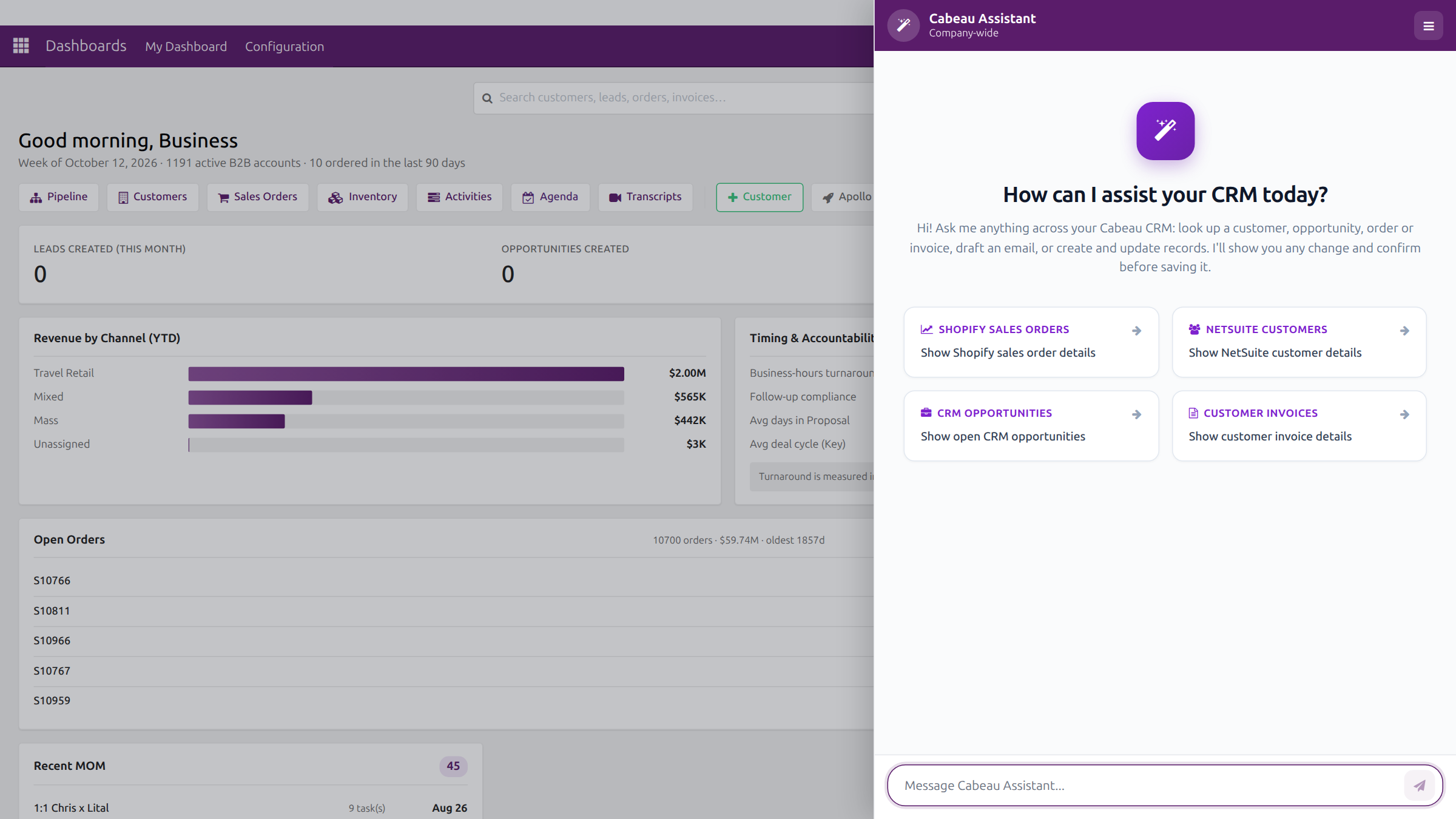
- Type your question in Message Cabeau Assistant and press Enter.
- The suggestion cards (Shopify Sales Orders, NetSuite Customers, CRM Opportunities, Customer Invoices) start common questions.
- The menu in the panel header offers View Full Screen, New Chat and Chat History.
- Press Escape to close the panel. Your chats stay in Chat History.
Read the answer
Section titled “Read the answer”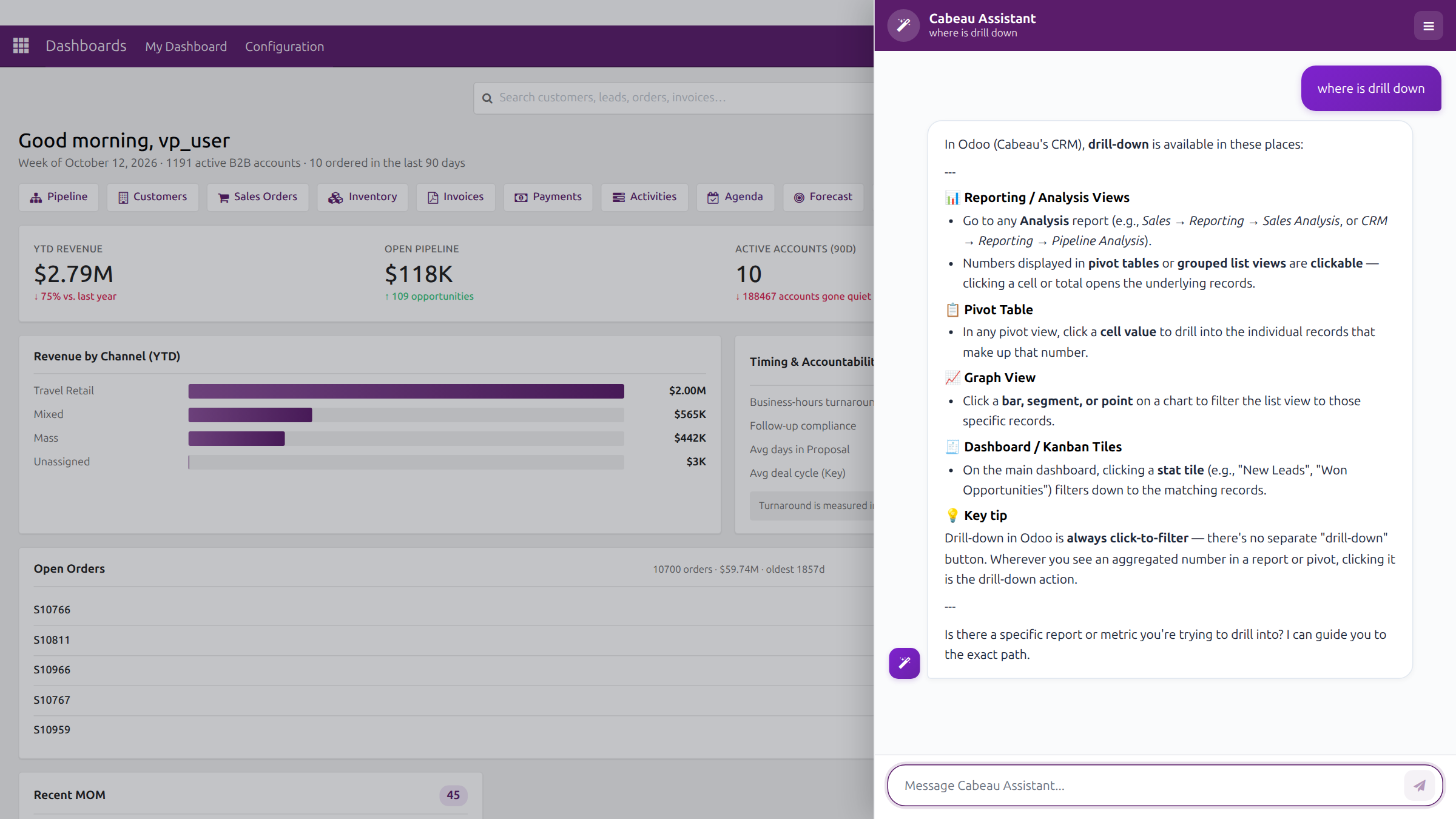
Answers come back formatted with headings and lists. Under each answer you can Copy it, or Edit and resend your question with changes.
Good questions to ask
Section titled “Good questions to ask”- Which of my accounts have not ordered in the last 90 days?
- Summarise the last three months of activity on this account.
- What open sales orders does this customer have?
- Draft a follow-up email to the buyer at this account about their reorder.
Things to know
Section titled “Things to know”- The assistant asks before it changes anything. It can create and update records, but it shows you the change and waits for you to confirm.
- Big questions take time. A question that pulls several calculations or year-on-year trends across the whole CRM can take around four minutes. Do not refresh the page while it works, or the answer is lost.