Get around the Hub
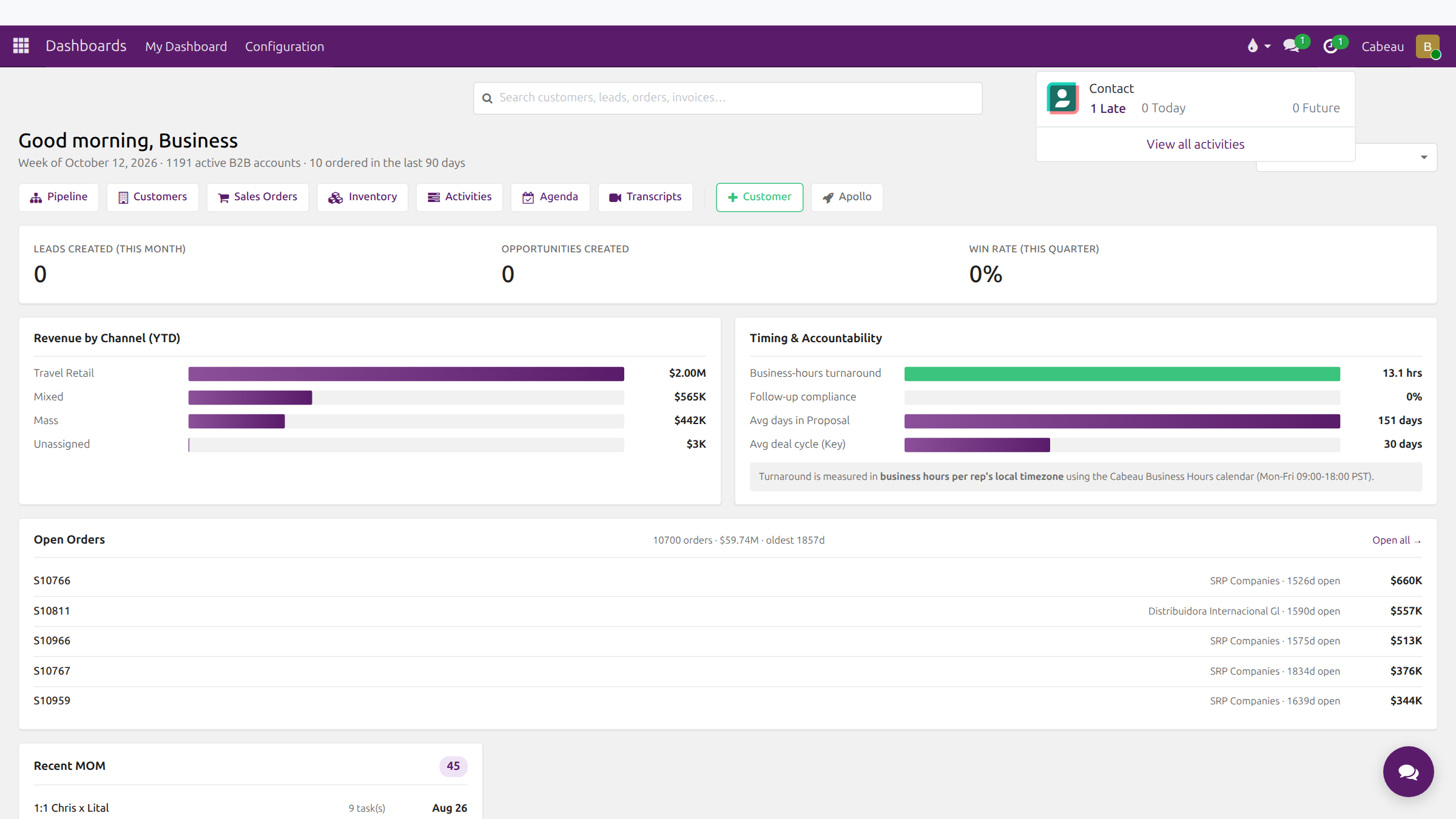
Every screen in Cabeau Hub has the same frame: a plum bar across the top, the page below, and the assistant button in the bottom right corner.
Transcript
- This video shows how to find your way around Cabeau Hub. It applies to every sales role.
- The grid icon at the top left opens the apps menu. Each tile is one area of the Hub, such as Dashboards, C R M, Sales and Calendar.
- Cabeau Tools holds the forecast, Apollo and the other tools built for Cabeau. The search box at the top finds any menu by name.
- Open an app, and its sections appear in the menu bar next to its name. Here, C R M shows Sales, Prospects, Leads and Reporting.
- On the right, the speech bubble holds your messages and notifications, and the clock counts your activities.
- Your initial at the far right opens your account menu, with your preferences and log out.
- Back on your dashboard, the search bar looks across customers, leads, orders and invoices as you type.
- Results are grouped by type. Click one to open it.
- The breadcrumb at the top left shows where you came from. Click Cabeau Dashboard to go back.
- That is how you get around. Next, asking the A I assistant.
The apps menu
Section titled “The apps menu”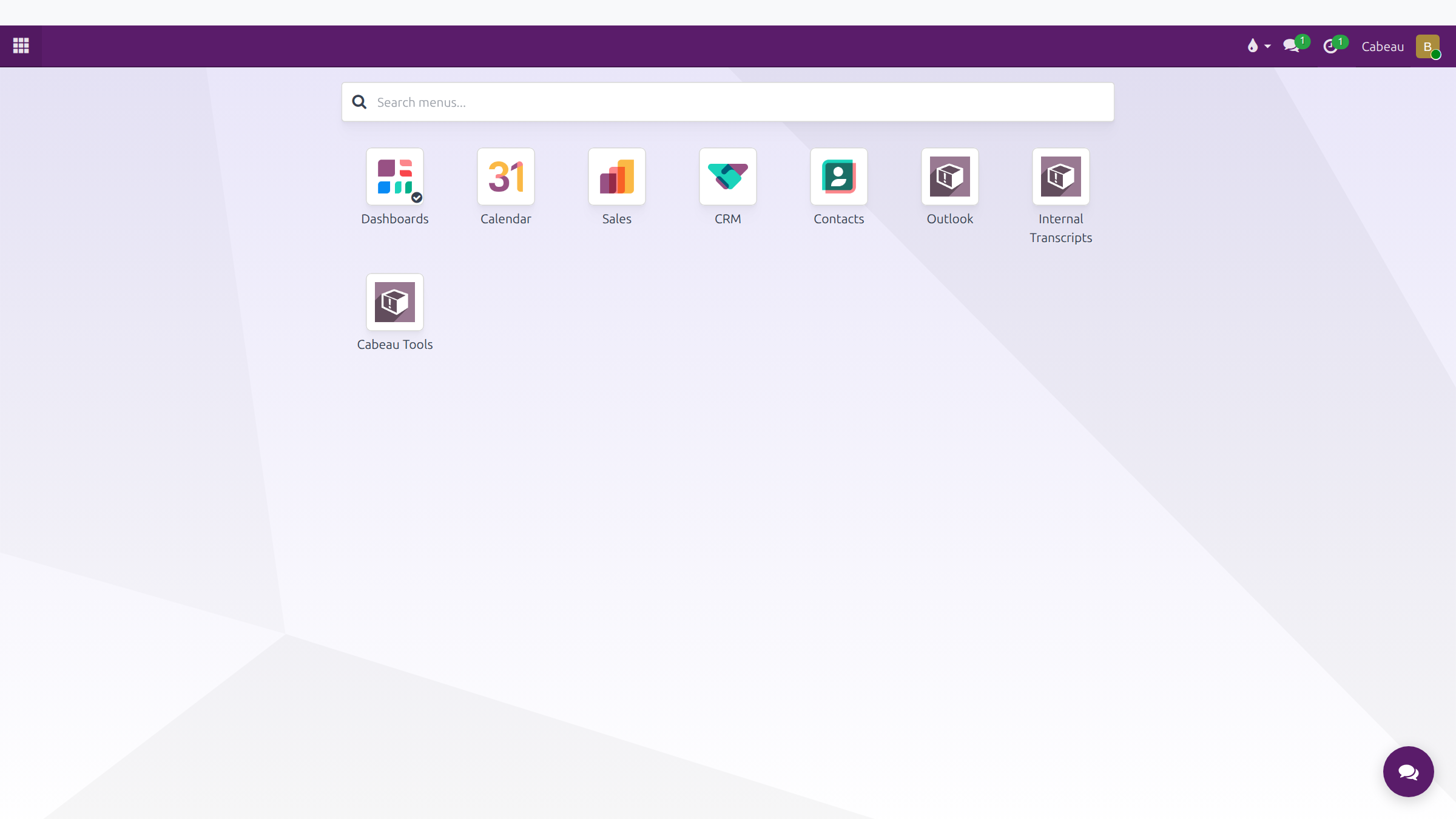
The grid icon at the top left opens every app you can use: Dashboards, Calendar, Sales, CRM, Contacts, Outlook, Internal Transcripts and Cabeau Tools. Type in Search menus to jump straight to any menu.
The menu bar
Section titled “The menu bar”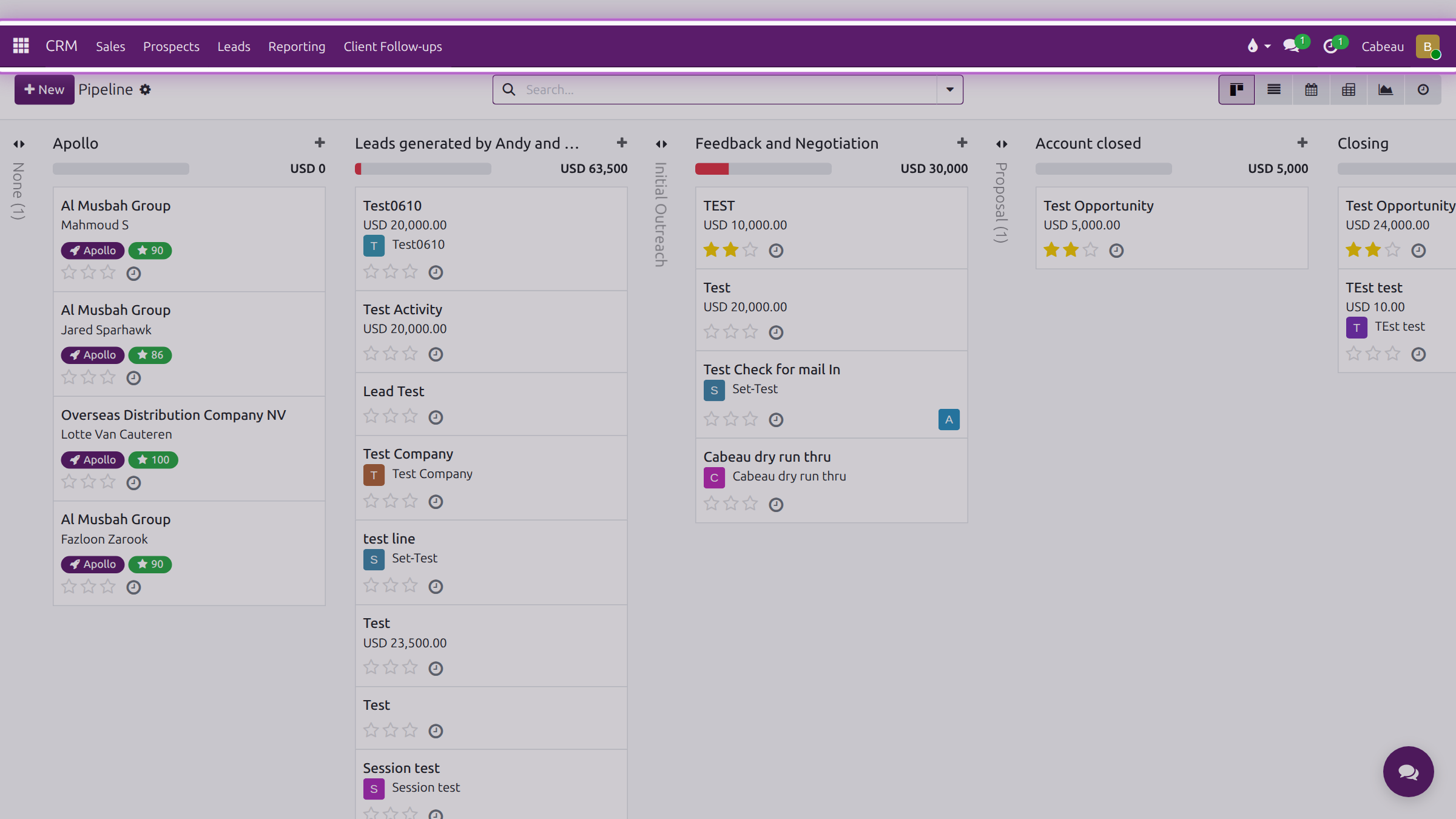
Beside the app name sit that app’s sections. In CRM, for example: Sales, Prospects, Leads, Reporting and Client Follow-ups. What you see depends on your role.
Breadcrumbs under the bar show where you are, for example Cabeau Dashboard / Customer name. Click any level to go back to it.
Search from the dashboard
Section titled “Search from the dashboard”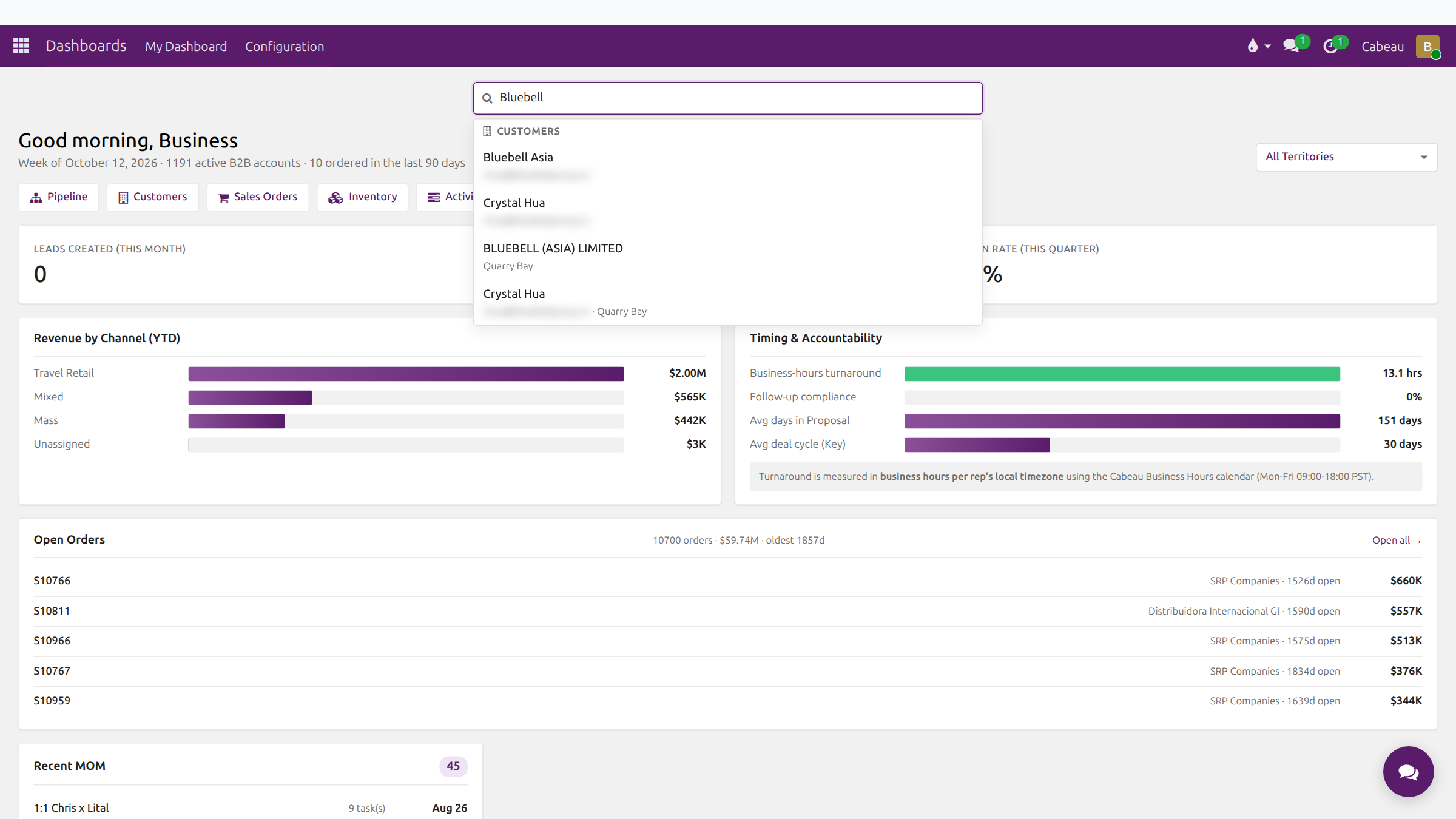
Type in the search bar on your dashboard. Results come back grouped as Customers, Leads and Opportunities, and Sales Orders. Click one to open it.
The top bar
Section titled “The top bar”| Icon | What it does |
|---|---|
| Speech bubble | Messages: notifications, chats and channels |
| Clock | Your activities: late, due today and coming up |
| Your initial | Your user menu: shortcuts, status, My Preferences, Log out |