Activities are the calls, emails, meetings and to-dos the Hub reminds you about.
Staying on top of your activities1:02 · narrated, with captions
Transcript
This video covers your activities in Cabeau Hub: the calls, emails and to-dos planned on your leads and accounts.
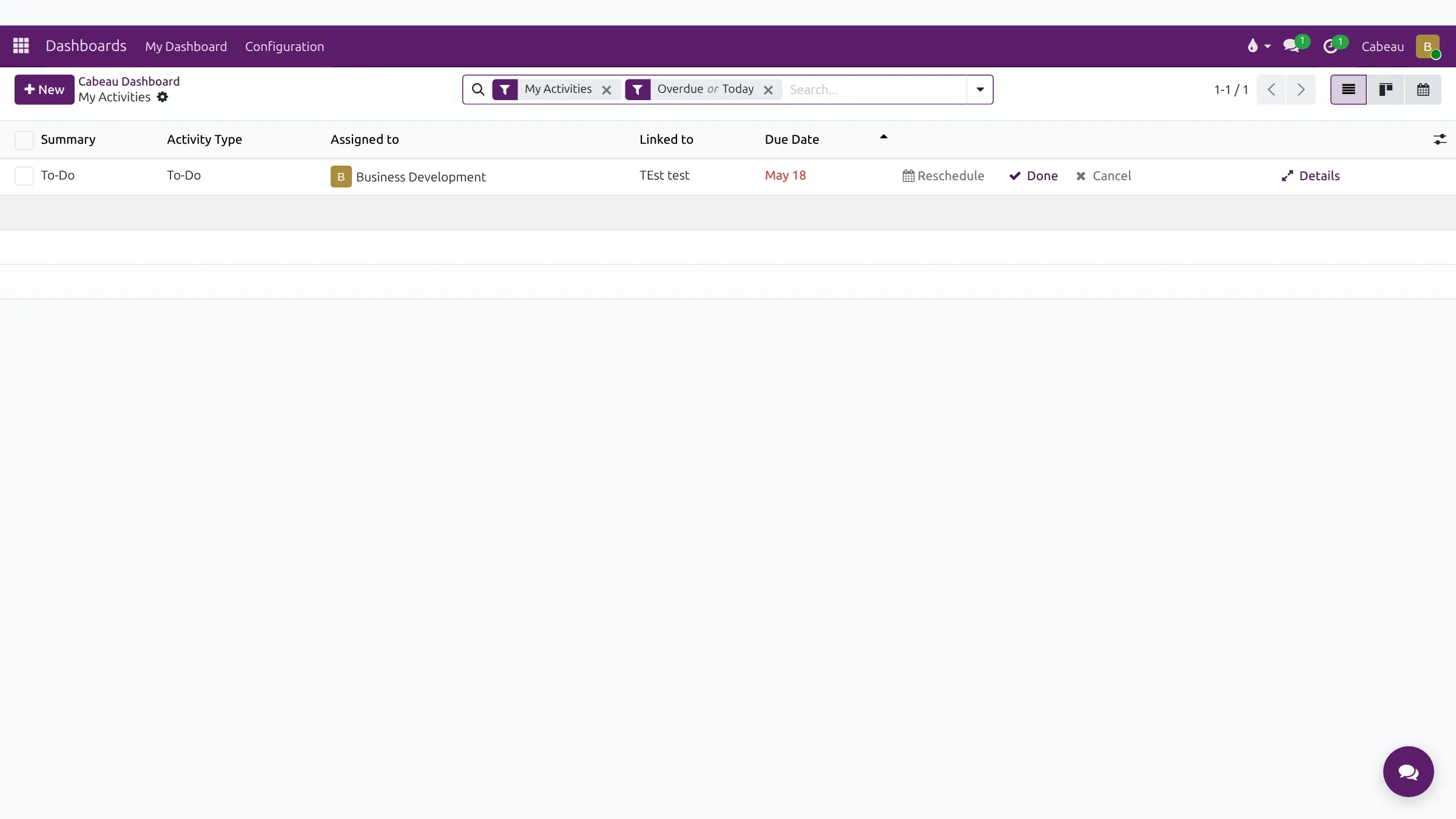
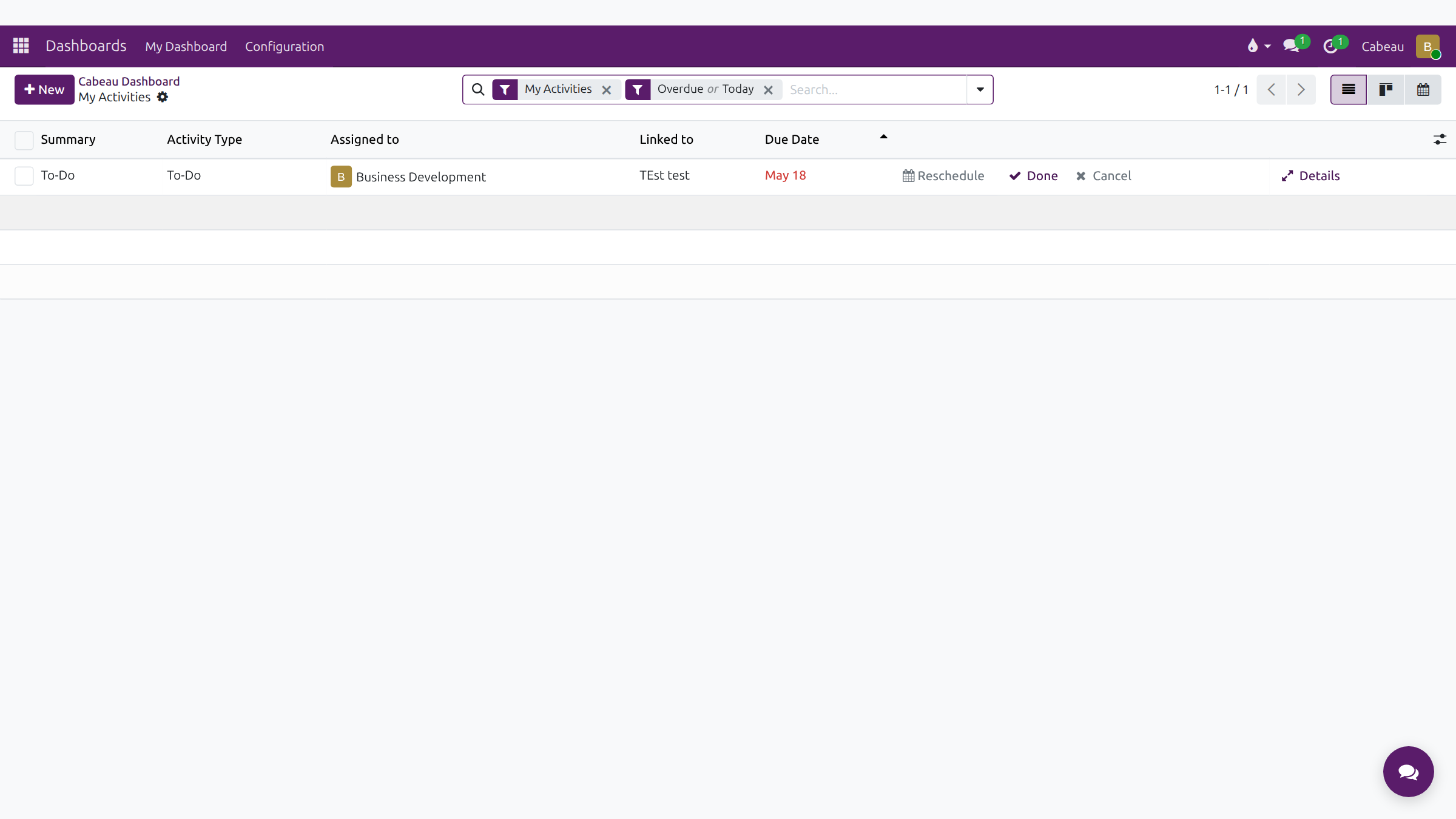
On your dashboard, click Activities. The list opens filtered to your activities that are overdue or due today.
Each row shows the summary, the activity type, who it is assigned to, the record it belongs to and the due date.
Act on a row directly. Reschedule moves the date, Done marks it complete, and Details opens the activity.
The linked record column takes you straight to the lead or account the activity is for.
The clock icon in the top bar counts your late, today and future activities on every screen.
To plan a new activity, open the lead or account and use the Activity button above its history.
Those are your activities. Plan the next step every time you touch a lead.
The Activities shortcut on your dashboard opens My Activities, filtered to overdue and today. Columns: Summary, Activity Type, Assigned to, Linked to and Due Date.
Each row has Reschedule, Done, Cancel and Details.
CRM > Sales > My Activities lists your opportunities that have an activity planned.
The clock icon in the top bar counts what is late, due today and coming up, wherever you are in the Hub.
On any lead, prospect or customer, select Activity in the chatter on the right, choose the type, the due date and a summary. Planning the next step every time you finish one is what keeps an opportunity off the Stalled Opportunities list.