
Forecast
Account Manager
Your forecast 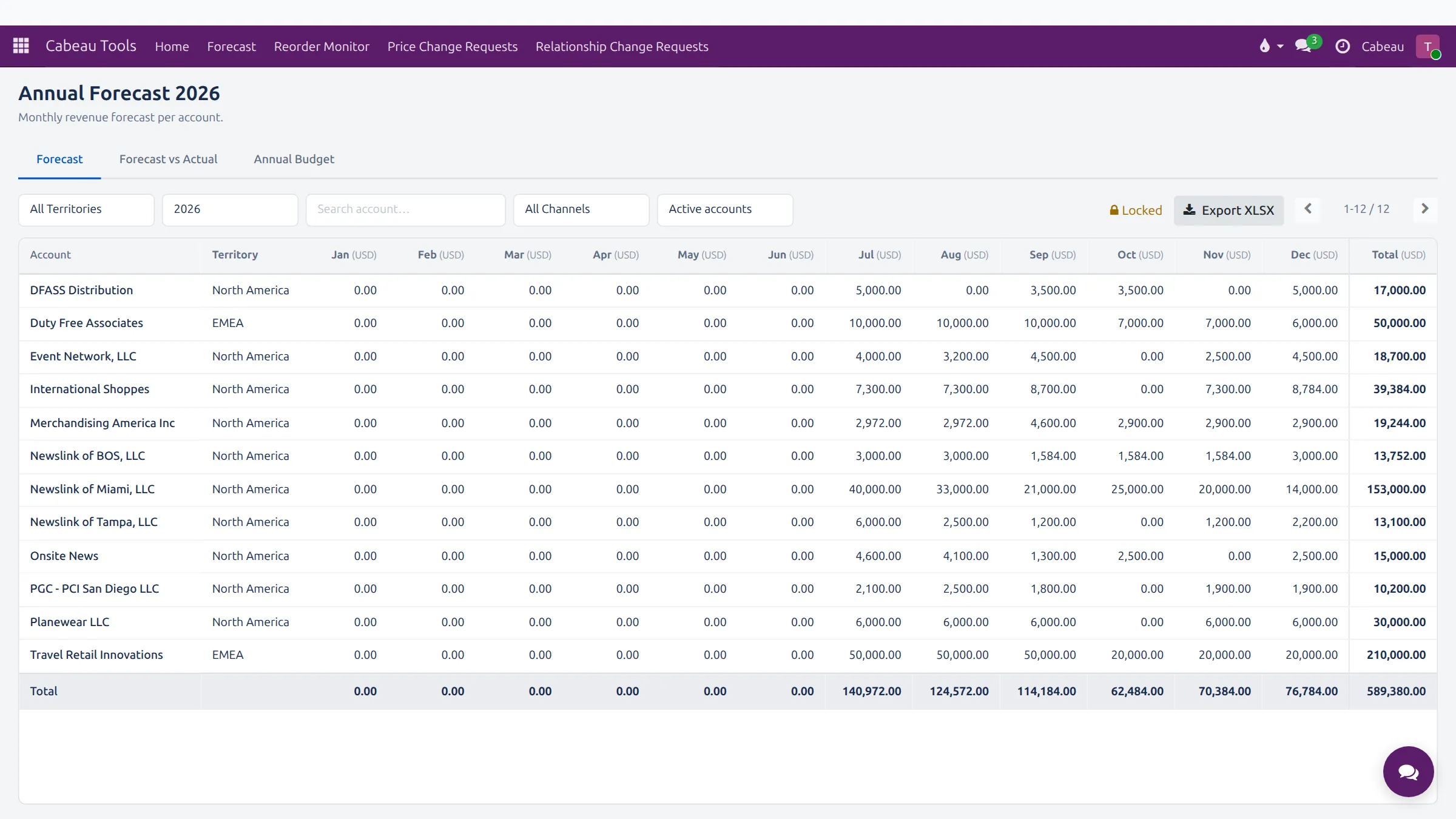

You own the forecast for your accounts. The year is locked, so a change you make goes to the VP of Sales for approval before it counts.
Transcript
- This video covers your forecast: the monthly revenue target for each of your accounts.
- Open it from the Forecast shortcut on your dashboard, or Cabeau Tools, Forecast. Each row is one of your accounts, each column a month.
- Filter by territory, year or channel, or search for one account. The total row adds up each month.
- The year is locked. To change a month, click its figure and enter the new amount.
- Your change does not apply straight away. It becomes a change request, and the VP of Sales approves or rejects it.
- Export XLSX downloads the sheet to Excel.
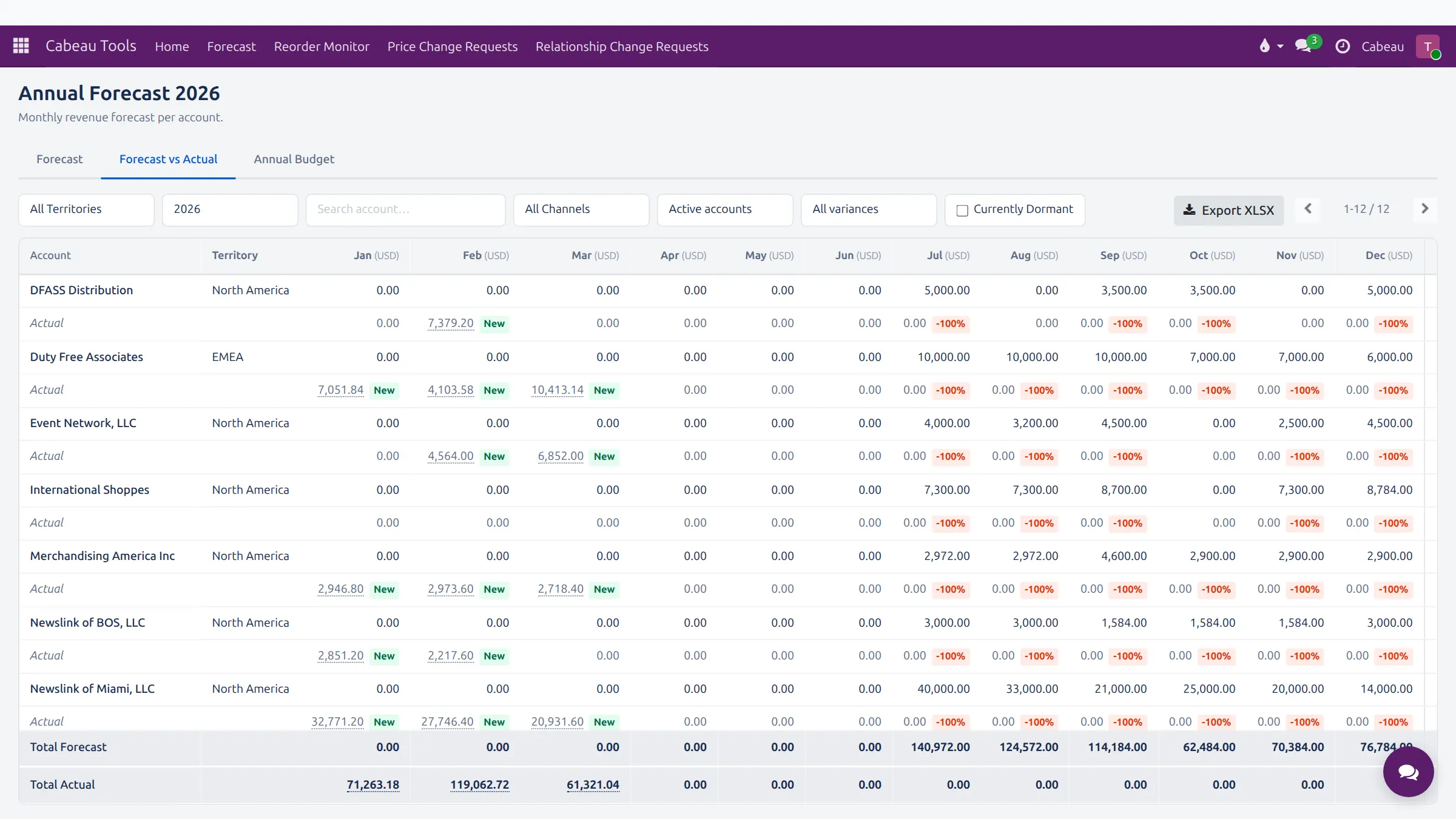
- The Forecast vs Actual tab puts each month's actual sales under the forecast, with the variance.
- Filter by variance to find accounts falling behind, or tick Currently Dormant to find accounts that have stopped ordering.
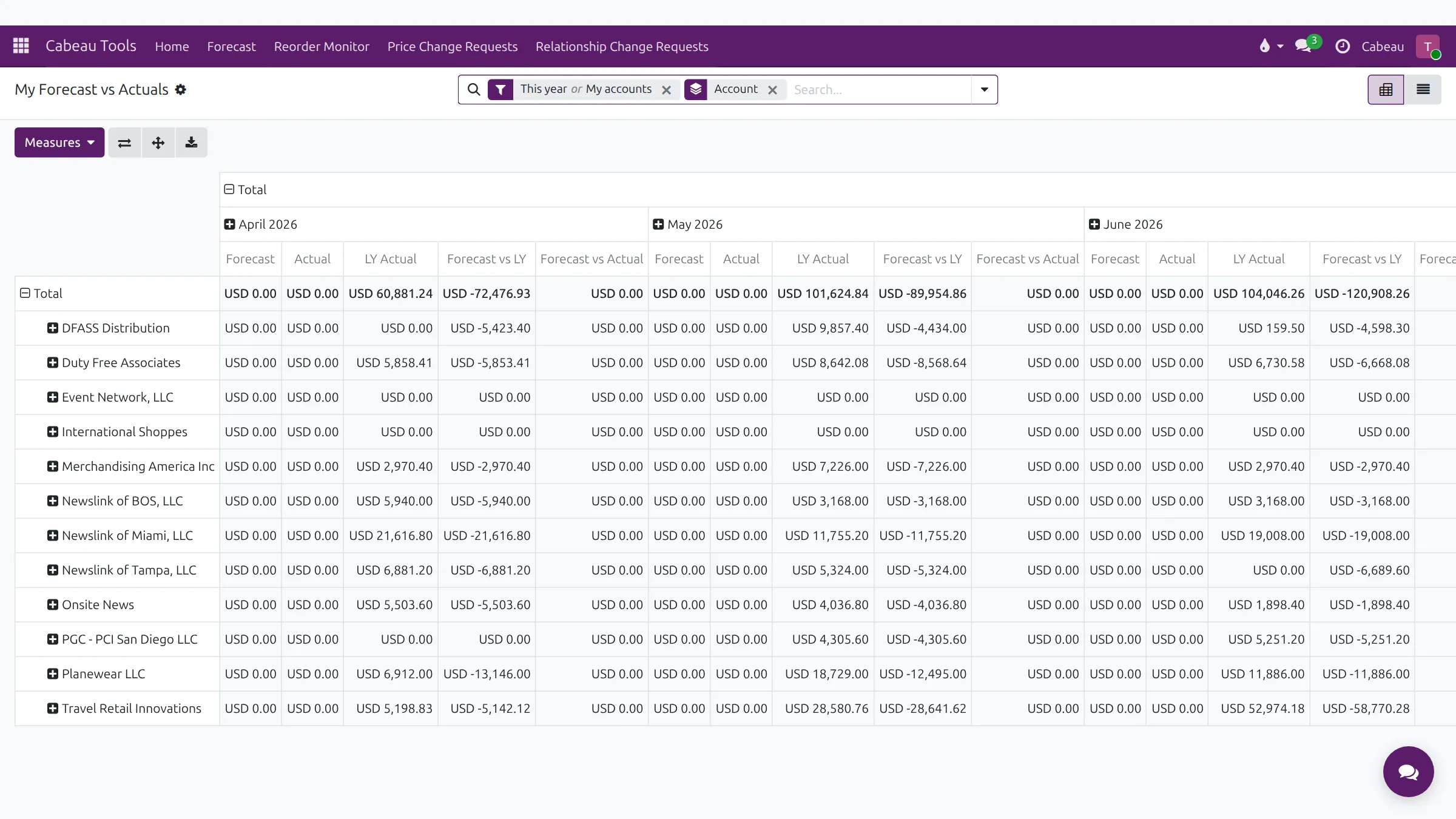
- Cabeau Tools, Forecast, My Forecast vs Actuals gives the same comparison as a pivot table, with last year's actuals beside it.
- Forecast, Change Requests lists the changes you have proposed, and whether each is pending, approved or rejected.
- That is your forecast. Next, accounts going quiet.
The forecast sheet
Section titled “The forecast sheet”The Forecast shortcut on your dashboard, or Cabeau Tools > Forecast > Forecast Sheet.
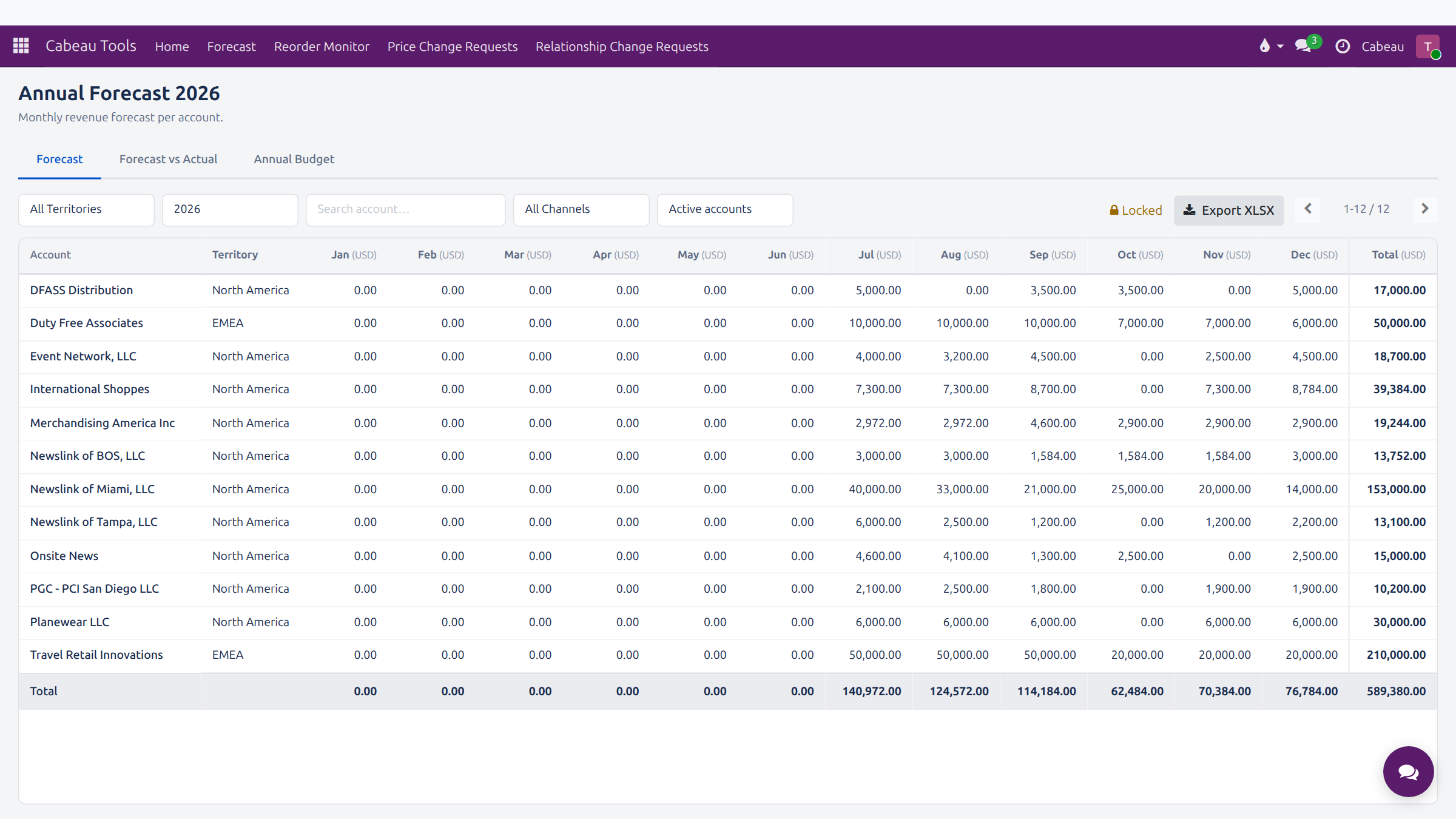
- Tabs: Forecast, Forecast vs Actual and Annual Budget.
- Filters: territory, year, channel, active accounts and account search.
- Locked shows the year is closed to direct edits. Export XLSX downloads the sheet.
Propose a change
Section titled “Propose a change”- On the Forecast tab, click the month cell for the account.
- Enter the new figure.
- The Hub records it as a forecast change request for the VP of Sales. The cell stays shaded until it is decided.
- Follow it under Cabeau Tools > Forecast > Change Requests, which shows your requests and their status.

Forecast against actuals
Section titled “Forecast against actuals”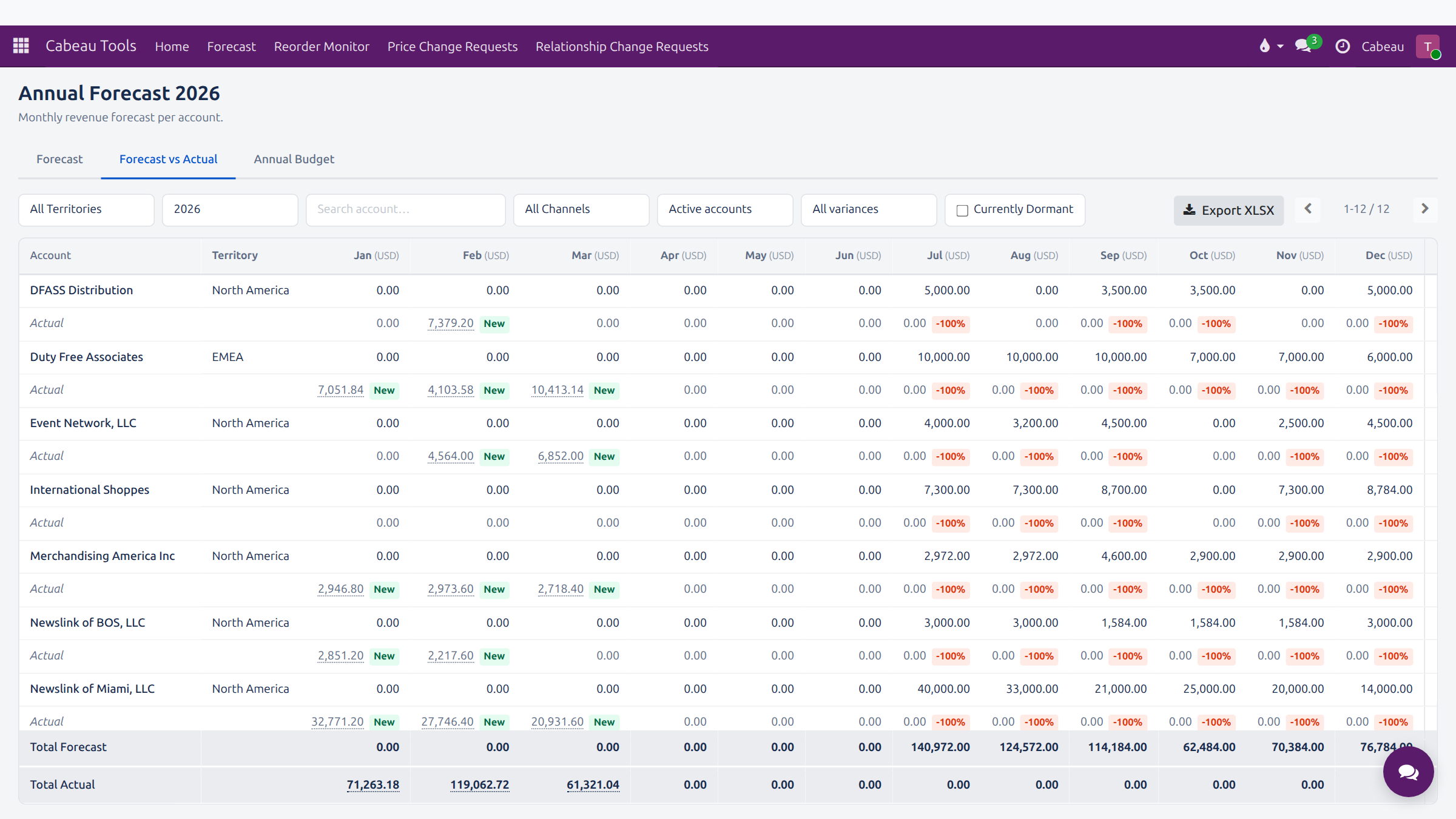
Each account shows an Actual row under its forecast, with a badge for the variance. Filter by variance or Currently Dormant to find the accounts that need attention.
Cabeau Tools > Forecast > My Forecast vs Actuals gives the same comparison as a pivot table, with last year’s actuals beside it.
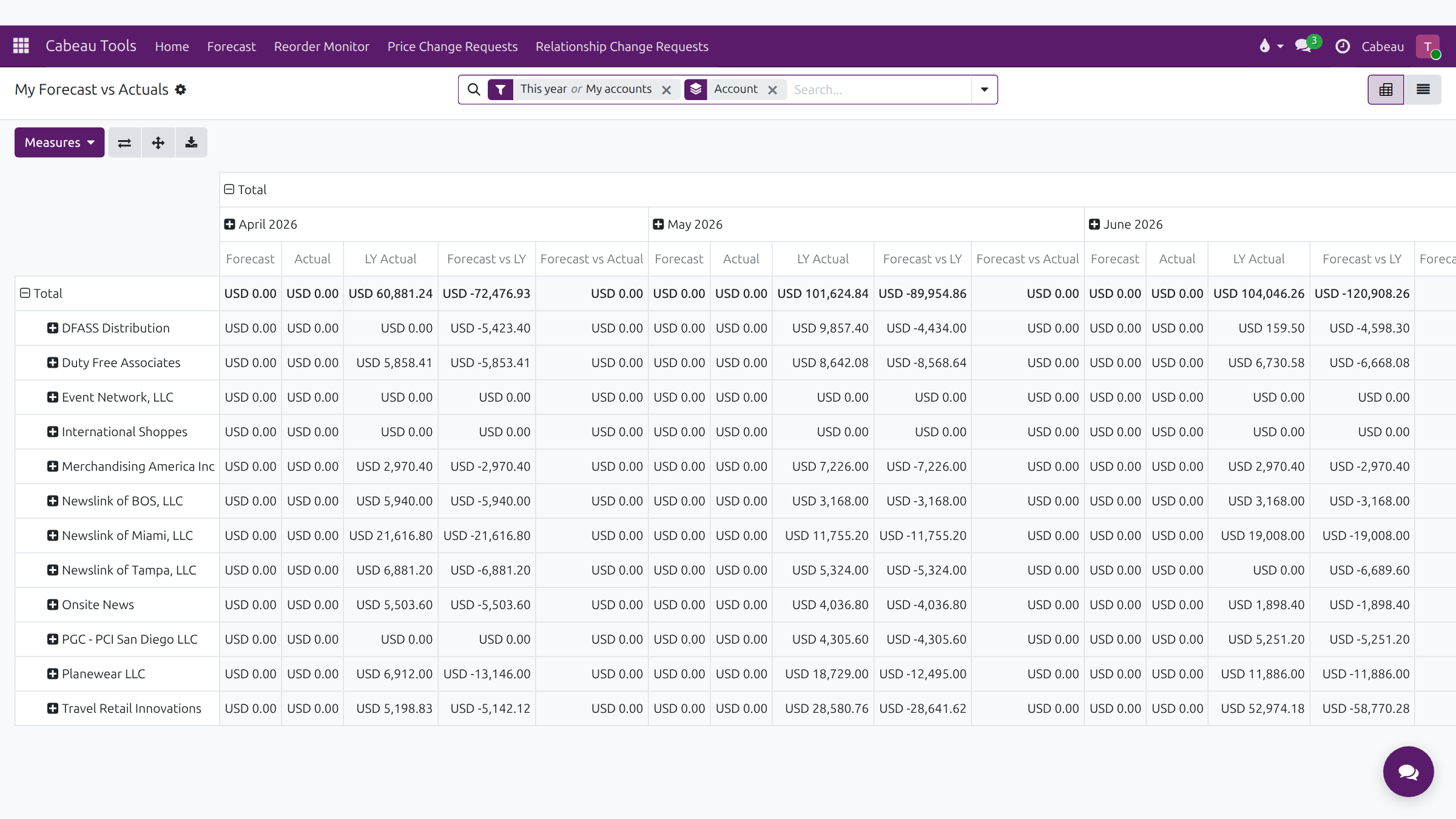
Measures: Forecast, Actual, LY Actual, Forecast vs LY and Forecast vs Actual, by account and month. Download xlsx exports the pivot.