
Orders, pricing and stock
Orders, prices and stock come across from NetSuite, so you see the same figures as the rest of Cabeau.
Transcript
- This video covers sales orders, pricing and stock for your accounts.
- Sales, Orders lists the orders for your accounts, synced from NetSuite, with the NetSuite number and status.
- Filter narrows the list by customer, NetSuite status or order date. Cancel closes it without changes.
- Open an order. Download PDF gives you the order to send, and Packing List the packing list.
- The NetSuite section shows the order's NetSuite number, status, and when it last synced.
- The Shipments tab holds ship dates, the ship method and tracking numbers.
- Sales, Products, Pricelists lists the price lists, including each customer's NetSuite prices.
- For stock, use the Inventory shortcut on your dashboard. It shows stock by warehouse.
- On hand is the physical stock per NetSuite. Committed is held for open orders, and available is what you can still sell.
- Check last sync before you quote stock to a customer.
- That is orders, pricing and stock. Next, follow-ups and activities.
Sales orders
Section titled “Sales orders”Sales > Orders, or Sales Orders on your dashboard, lists orders for your accounts.
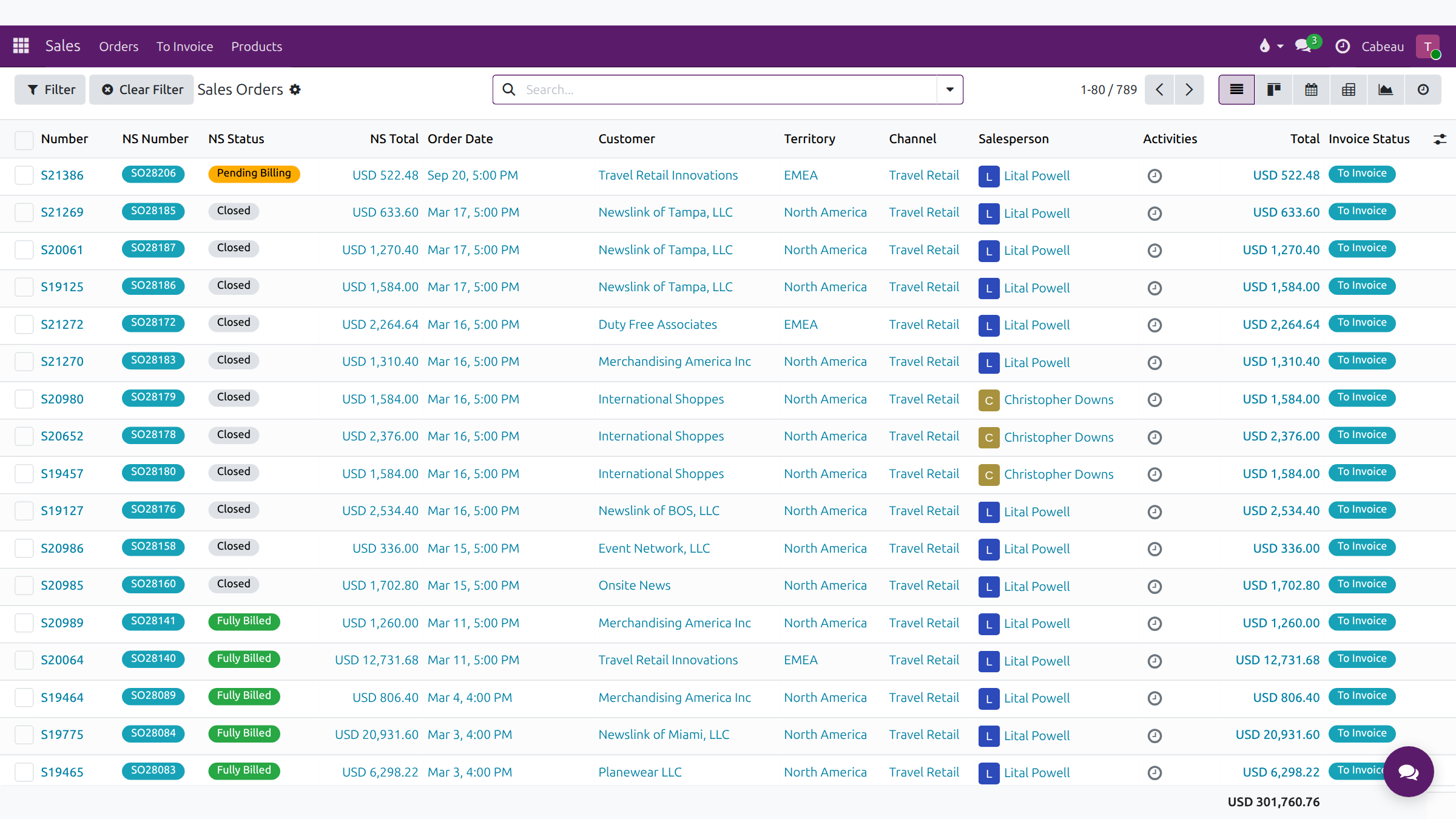
Columns: Number, NS Number, NS Status, NS Total, Order Date, Customer, Territory, Channel, Salesperson, Activities, Total and Invoice Status. Filter narrows by customer, NetSuite status and date range; Clear Filter resets.
An order
Section titled “An order”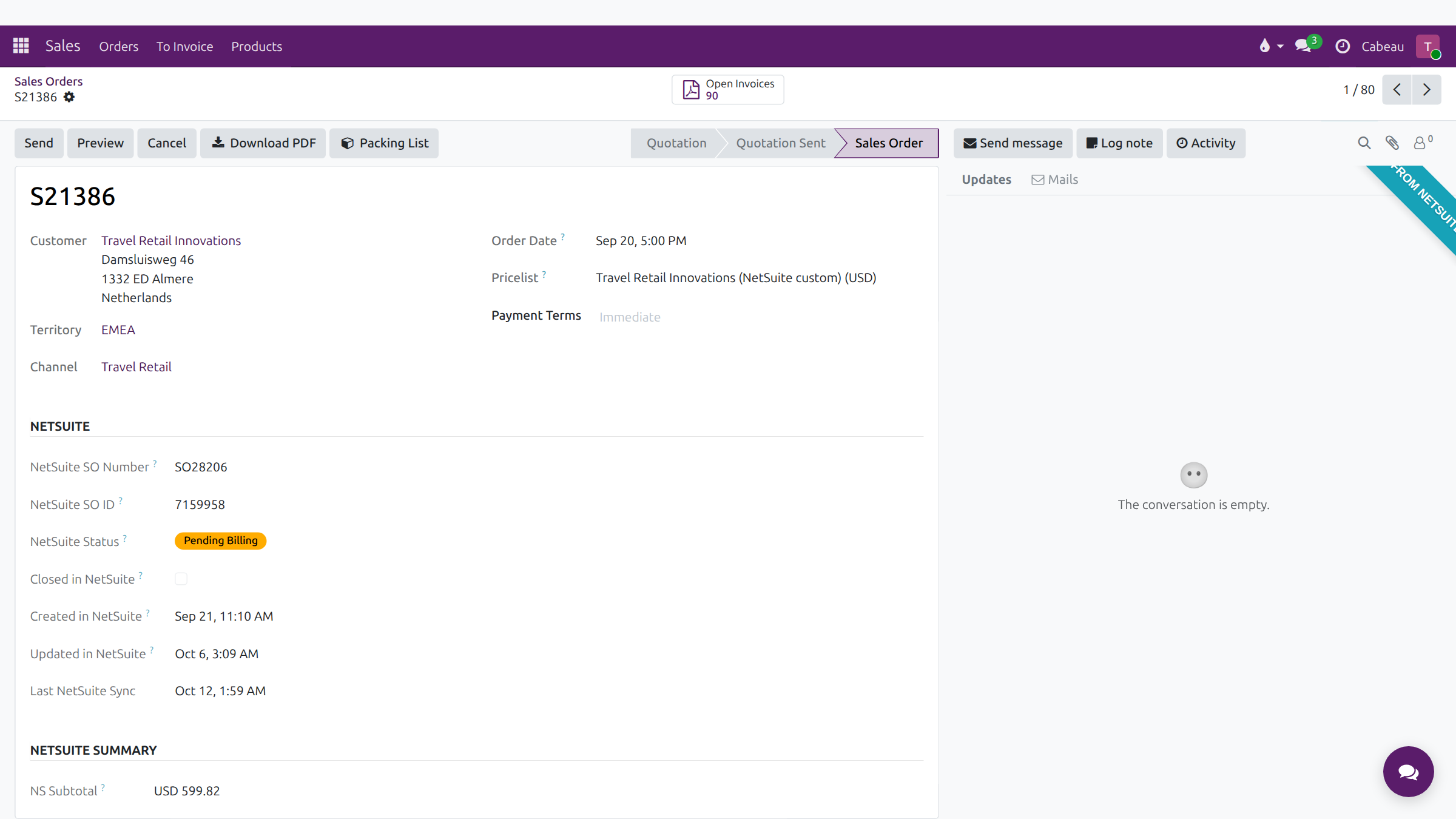
- Download PDF and Packing List give you the documents for the customer.
- Ship date, actual ship date, scheduled delivery, ship method, Incoterms and tracking numbers sit above the tabs.
- The Shipments tab lists each fulfilment with ship date, status, carrier and tracking numbers.
- The NetSuite section shows the SO number, status and when it last synced.
Pricelists
Section titled “Pricelists”Sales > Products > Pricelists lists the price lists: each customer’s NetSuite custom pricelist, and the standard Online, Retail/MAP, SM FOB and Wholesale prices.
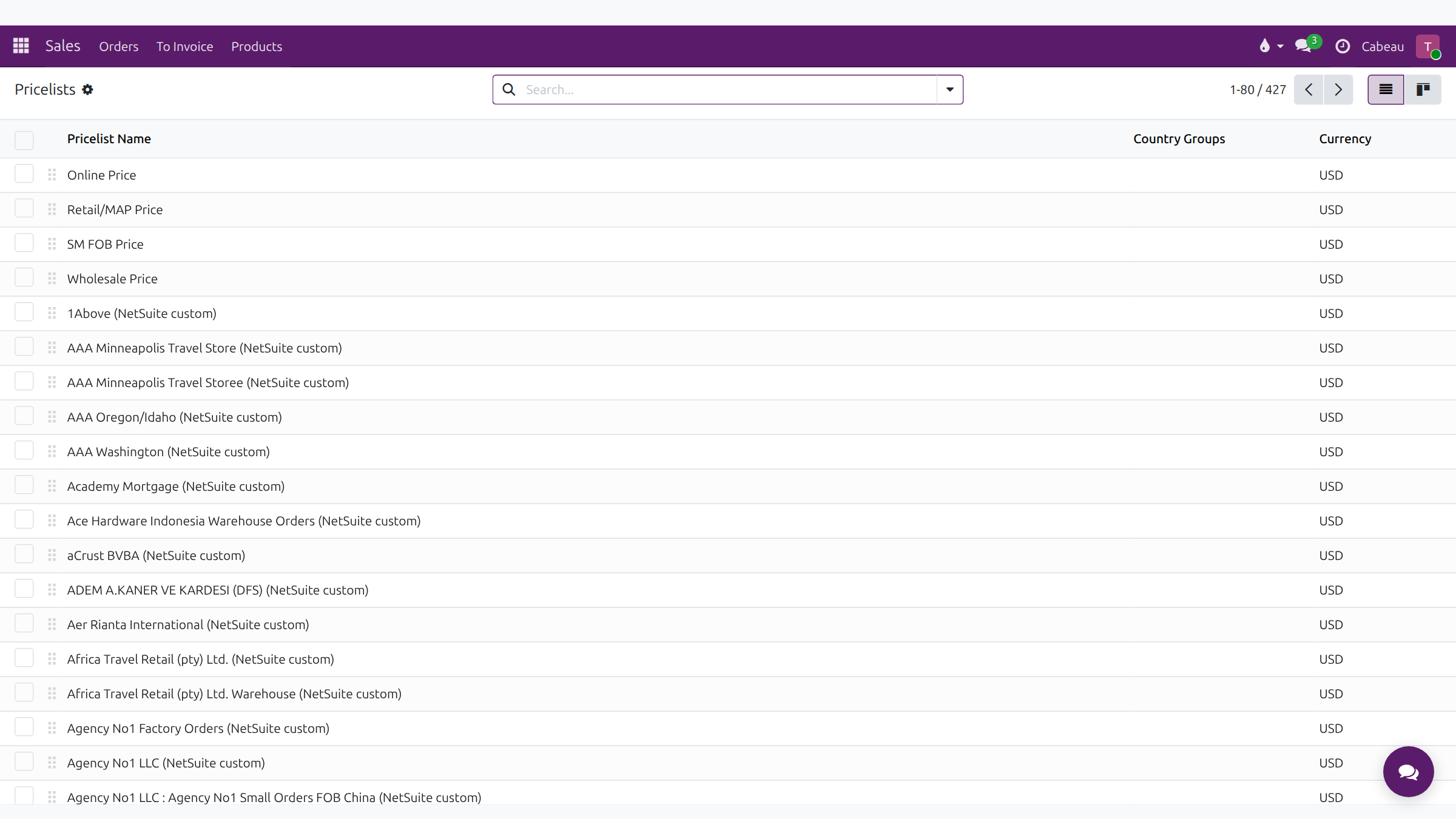
Customer-specific prices also sit on the account’s Item Pricing tab. See My Accounts.
The Inventory shortcut on your dashboard opens the inventory snapshot, grouped by warehouse.
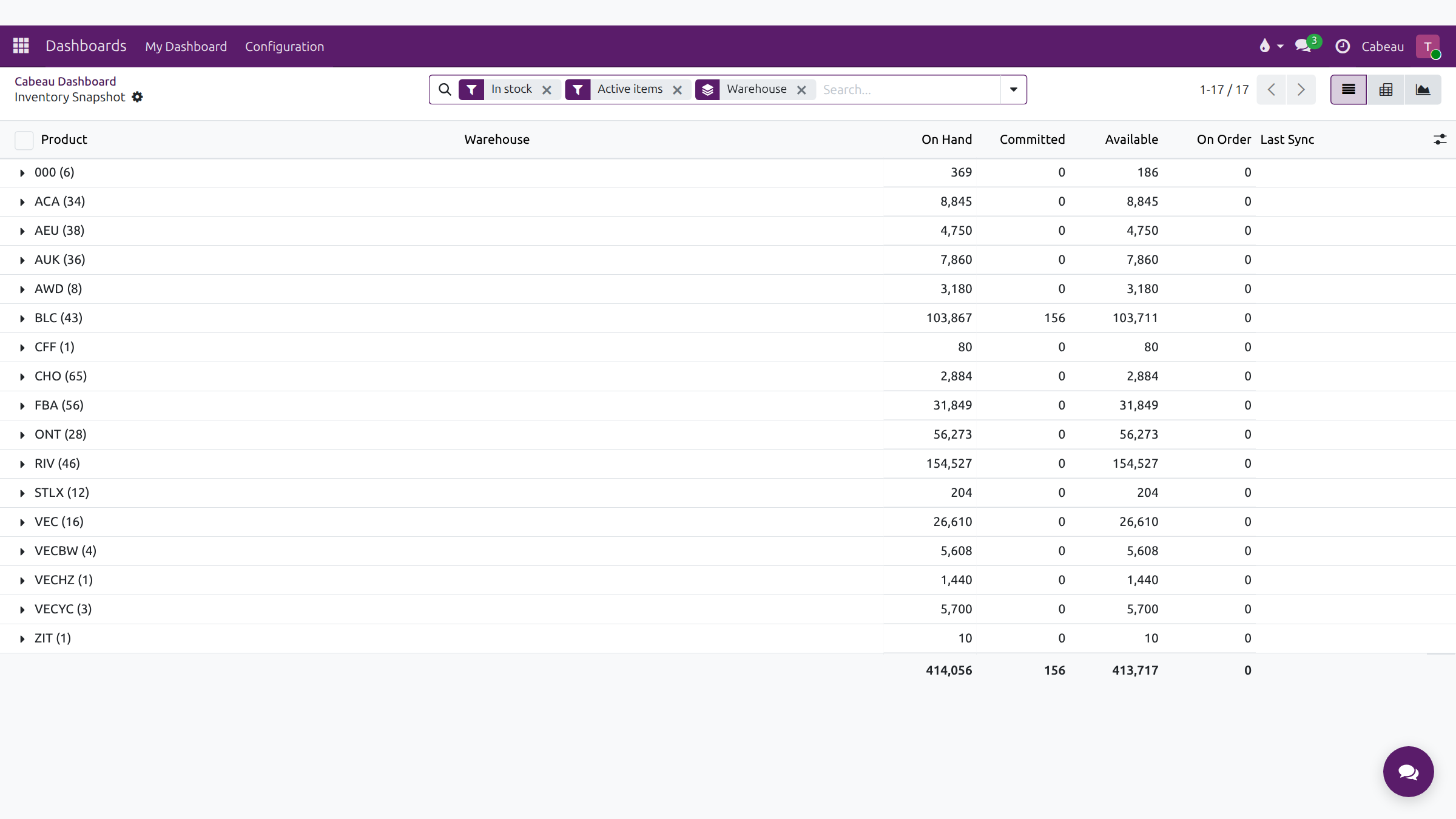
On Hand, Committed, Available, On Order and Last Sync. Check Last Sync before you quote stock to a customer.